

The 5 apps that will change how your business uses social media

From scheduling posts to editing content, our apps guide has it all
The constant push to remain active on social media when running a business can sometimes take over your life. Are you posting enough? Do you have as many followers as the competition? Are your followers actually seeing your posts? Are you doing enough on the latest apps? Your business may be open 9-5 but your social media presence is a 24/7 job.
At times, it can feel like so much time, effort and energy are being pumped into your social media and it can be difficult to tell if it’s actually worth it.
Over the past few months, we have discovered, tried and tested a number of different apps that claim to help your business… and there are tonnes! Not to worry though, we have put together a guide to our absolute fave business-assisting apps that we promise will do wonders for your social media planning.
Read on, take notes and let the apps do all the work!
 PREVIEW
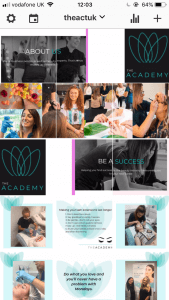
Spending ages editing your picture, choosing a caption, uploading and then quickly checking your grid to check how your recent upload holds up against the rest of your pictures. Whether it’s your business page or your personal Instagram, we’ve all done it. Sometimes the editing is off or the balance doesn’t look right on your page. And then there was Preview app.
This is one of our favourite apps that connects your Instagram and add potential uploads before you decide if they’re gram-worthy or not. Play about with the layout, delete if it doesn’t quite fit with your vibe and try out different ideas. This is a huge help when it comes to content planning and you can also add in a caption and time for posting, then the app will send you a reminder at that time to get your post uploaded. Plus, it helps you find relevant, niche hashtags that you can add to your post.
Top tip: using niche hashtags, specific to your target market, works far better than generic ones that are over-used. E.g. instead of #lashtraining, use #lashtrainingglasgow or #lvllashtraining. You’re far more likely to hit that target audience.
CANVA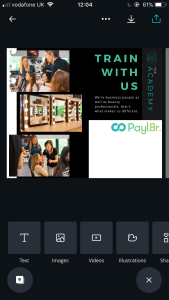
Creating professional poster-like posts for social media has never been easier with Canva. This is the app of all apps for in creating informative posts to promote courses, competitions and just about anything else.
Choose from pre-made designs and layouts or get imaginative and play about with your own ideas. As well as being super easy to use, there are so many cool features to Canva that we can’t even go into… but trust us, there are loads!
You can also edit pictures and videos, as well as being able to choose exactly what social media platform you’re designing your post for so they can pull together the right sizing.
LATER
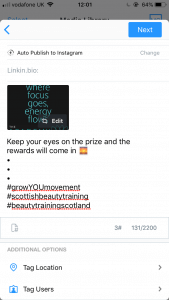
So you’re happy with how your content is going to look on the gram (thanks, Preview app) and maybe even added in some time-to-post reminders. Want to go that extra mile? Later is one of the best apps we’ve found to schedule your posts directly to Instagram.
If you’re used to uploading posts daily, or even a few times a week, this will cut down on your time posting, massively. Simply upload your picture, add your caption and choose the time and date you’d like the post to go up. And that is it!
Dedicating an hour or a couple of hours per week (depending on how many posts you want to go up) to schedule everything in also takes off the pressure of having to post constantly. It also ensures your posting is consistent, which means you’re likely to appear more often on your followers newsfeeds.
Top tip: check your Instagram insights to work out which times and days give you the best engagement with your followers. That way you’ll know when to schedule your posts in for maximum engagement levels.
TILE PIC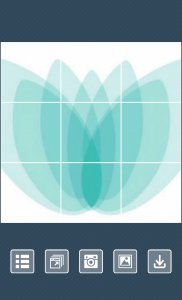
Fancy getting a little fancier?
Businesses are getting savvy with Instagram and it’s all about how the grid looks at the moment. Using a set of posts to create the one image split over your grid can be so effective and make your Instagram look super professional.
Although it looks quite complicated, we’ve found an app that totally nails this – Tile Pic. Tick all the boxes that you want your picture to split across and then upload your picture. And there you are, uber chic and sophisticated gram that is sure to make you look very professional.
MADE
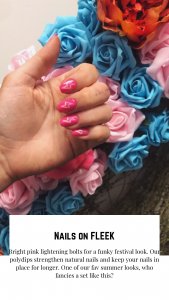
So now you’ve got the grid nailed, sorted? Not quite.
Instagram stories have totally taken over – they’re the younger, cooler, more fun version of the traditional grid and people are loving them. Pop up a boomerang, customise with a gif, find out more with a poll. Stories can be so much fun and definitely not a step to skip.
But with businesses and influencers alike turning their stories into creative works of art, how do you up your Instagram story game? Made app is the answer.
This app adds an extra bit of jazz to normal pictures and makes your stories look super professional, effortlessly. Get your creative juices flowing and see what you can come up with!
Top tip: social media experts recommend 3 hours as the magic number when it comes to how often you should be uploading Instagram stories. Not too often that you become spammy and annoying, enough that you remain active on your follower’s story bar.
Still need some help? Check out our Instagram guide!